
We live in a world where we panic if the WiFi goes off for even 1 minute. You use WhatsApp, Instagram, and Google every day, but do you honestly know how a message travels from your phone to your friend’s phone in another country in milliseconds?
Welcome to Chapter 8 (ICT). Unlike the difficult numericals in previous chapters, this chapter is pure theory and general knowledge. If you know how to operate a smartphone, you are already halfway there.
In these notes, I will explain how Optical Fibres work, what is inside your Computer, and the difference between Data and Information (yes, they are different!).
1. What is ICT? (The Definition)
Let’s break it down. ICT stands for Information and Communication Technology. It is a combination of three things:
- Information: The processed data (meaningful facts).
- Communication: Sending this info from one place to another.
- Technology: The devices (Computers, Satellites) used to do this.
Real-Life Example: When you take a random selfie, it is just Data. When you edit it, add a filter, and caption it “Feeling Cute,” it becomes Information. When you post it on Instagram, that is ICT.
2. CBIS (Computer-Based Information System)
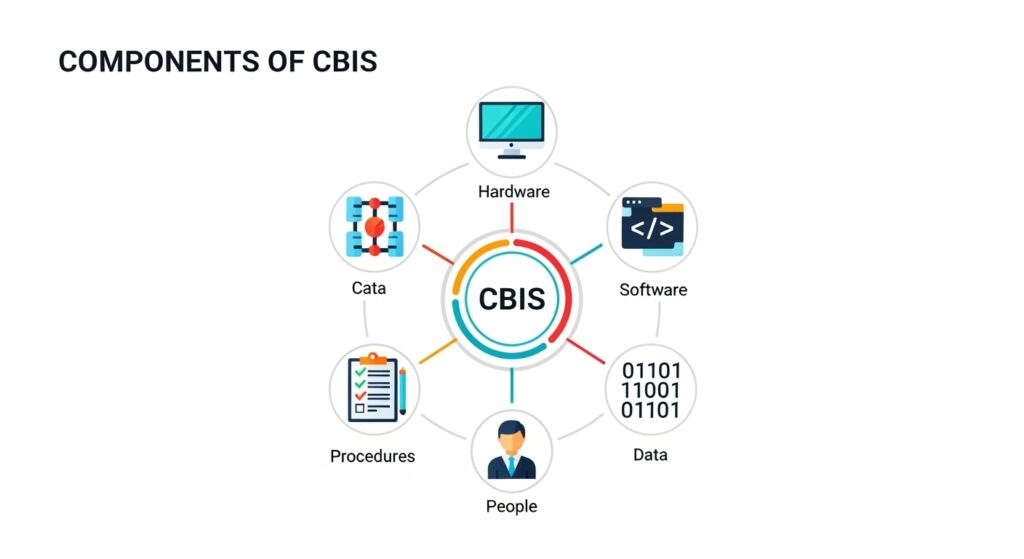
This is a favorite topic for examiners. A computer system isn’t just the monitor and CPU; it has 5 Main Parts. Memorize them like the fingers on your hand:
- Hardware: The machinery you can touch (Mouse, Keyboard, CPU).
- Software: The programs you cannot touch (Windows, Games, WhatsApp).
- Data: The raw facts and figures (Numbers, Unsorted lists).
- Procedures: The rules or instructions to run the system.
- People: Users like you and me who operate the computer.
3. How Signals Travel (Optical Fibre vs. Copper)
In the old days, we used copper wires for landline phones. They were slow and had noise. Now, we use Optical Fibre.
Why is Optical Fibre the Hero?
- It is a thin thread made of high-quality glass.
- It transmits data using Light (not electricity).
- Principle: Total Internal Reflection.
Analogy: Imagine a pipe made of mirrors. If you shine a torch at one end, the light will bounce (reflect) zigzag all the way to the other end without leaking out. That is exactly how your high-speed internet works!
4. The Mobile Phone System (How Calls Work)
Have you ever wondered why we call it a “Cellular Phone”? It’s because the whole city is divided into small hexagonal areas called Cells.
How a Call Connects:
- Mobile Station (You): You dial a number.
- Base Station (Tower): Your phone sends a radio signal to the nearest tower.
- MSC (Mobile Switching Center): The “Boss” computer. It finds where your friend is.
- Target Tower: It sends the signal to the tower near your friend.
Note: When you travel from one area to another, your signal is handed over to the next tower automatically. This is called a Handover.
5. Internet: The Network of Networks
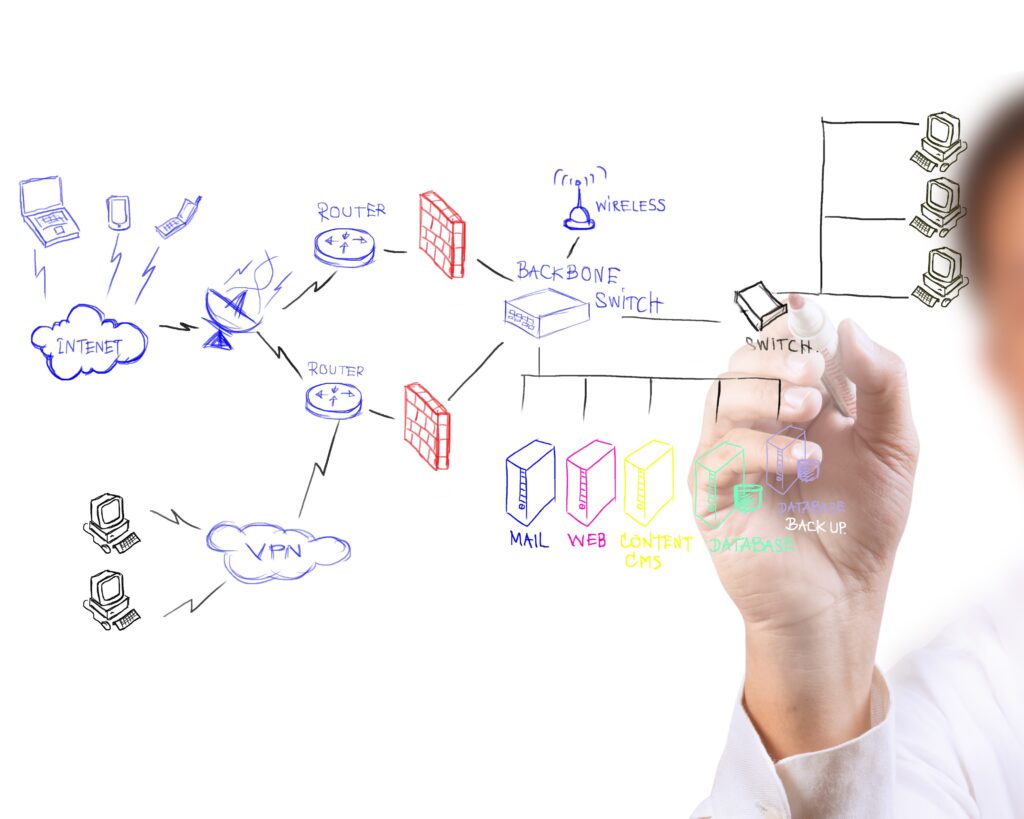
The Internet is basically millions of computers connected together. But students often confuse two things: Web Browsers and Search Engines.
- Web Browser: The application you use to open websites.
- Examples: Chrome, Firefox, Safari. (Think of this as the Car).
- Search Engine: The website that helps you find things.
- Examples: Google, Bing, Yahoo. (Think of this as the Map).
Personal Experience: I used to think Chrome and Google were the same thing until I realized I can open “Bing.com” inside “Chrome.” Don’t make that mistake in your viva!
6. Storage Devices (Hard Disk vs. Flash Drive)
Where do you keep your photos?
- Hard Disk Drive (HDD): It has a spinning magnetic platter inside. It’s distinct because it makes a slight whirring noise. It’s cheap but fragile.
- Flash Drive (USB/SSD): It uses electronic chips (EEPROM). It has no moving parts, so it’s faster and safer.
Important Short Questions (2025 Syllabus)
Q1: Differentiate between Data and Information. Ans:
- Data: Raw facts and figures (e.g., “Ali, 50, 90”).
- Information: Processed data that conveys meaning (e.g., “Ali got 90 marks in Physics”).
Q2: What is the function of the Base Station? Ans: A Base Station (Mobile Tower) sends and receives radio signals from mobile phones within its specific cell area. It connects the user to the Mobile Switching Center (MSC).
Q3: Why are Optical Fibres better than Copper wires? Ans:
- They are lighter and cheaper.
- They carry much more data (High Bandwidth).
- They are not affected by electromagnetic interference (No noise).
Chapter Summary (Quick Recap)
- ICT: Handling information using technology.
- CBIS: Hardware, Software, Data, Procedures, People.
- Optical Fibre: Uses light (Total Internal Reflection).
- Cell Phone: Works on radio waves and base stations.
- Browser: Tool to view web pages (Chrome).
- Email: Fast, cheap, and versatile communication.
FAQs: Students Also Ask
Q: Is Flash Memory volatile? Ans: No! Flash memory (like your USB or Memory Card) is Non-Volatile. This means it keeps your data safe even when you unplug it from the computer.
Q: Can we use optical fibre for electricity? Ans: No. Optical fibre is made of glass/plastic, which is an insulator. It only carries Light signals (Data), not electric current.
Q: What is the risk of ICT? Ans: The biggest risks are Cyber Crime (Hacking, Theft of data) and health issues like eye strain from using screens for too long.
Final Advice
This chapter is a “Free Gift” from the board examiners. The questions are usually general knowledge. Just make sure you draw the block diagram of the Mobile Network (Phone -> Tower -> MSC -> Tower -> Phone). If you draw this, you will definitely get full marks in the Long Question.
We are almost done! The next chapter is the final one: Chapter 9 (Atomic & Nuclear Physics). Ready for E=mc²?